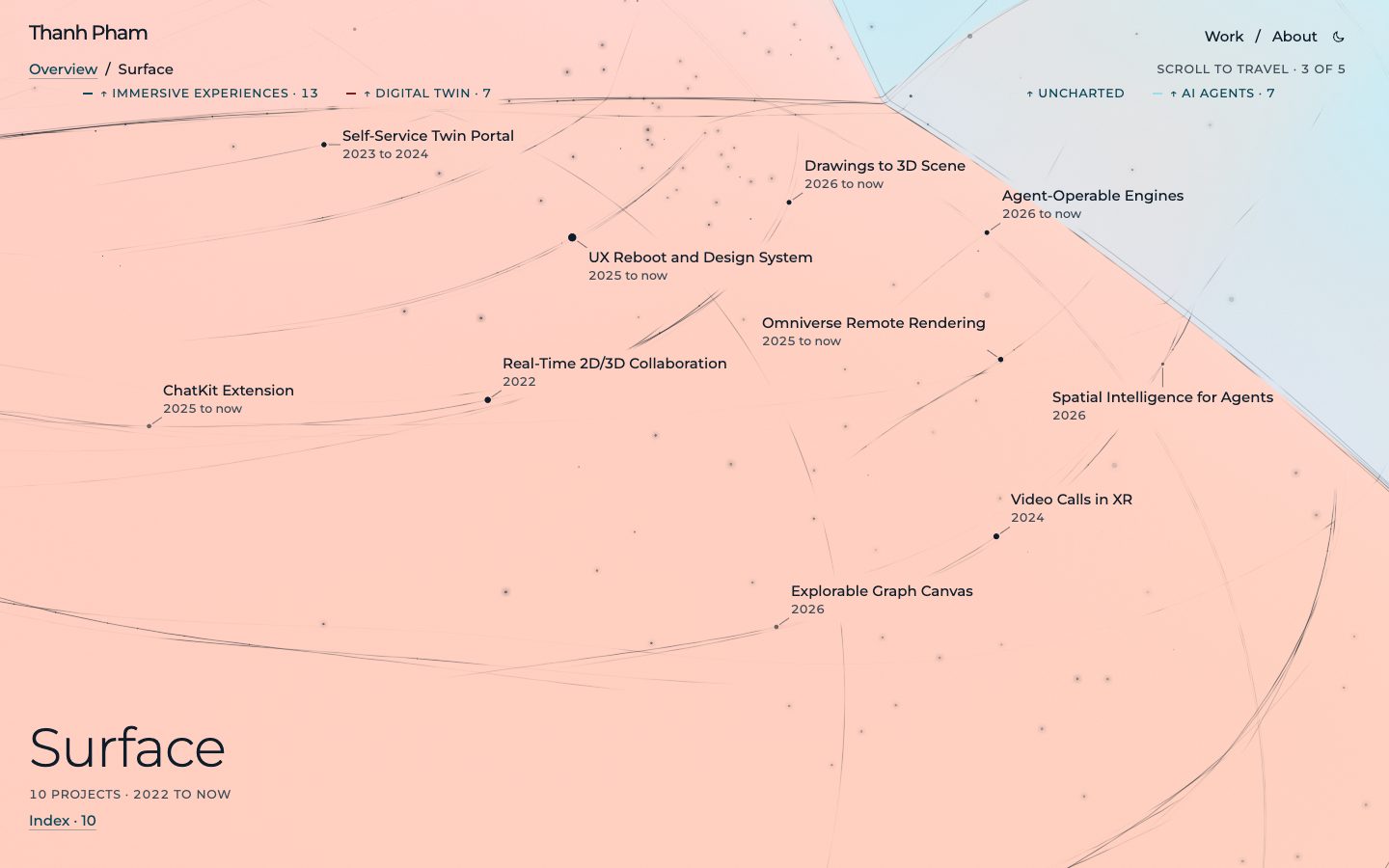
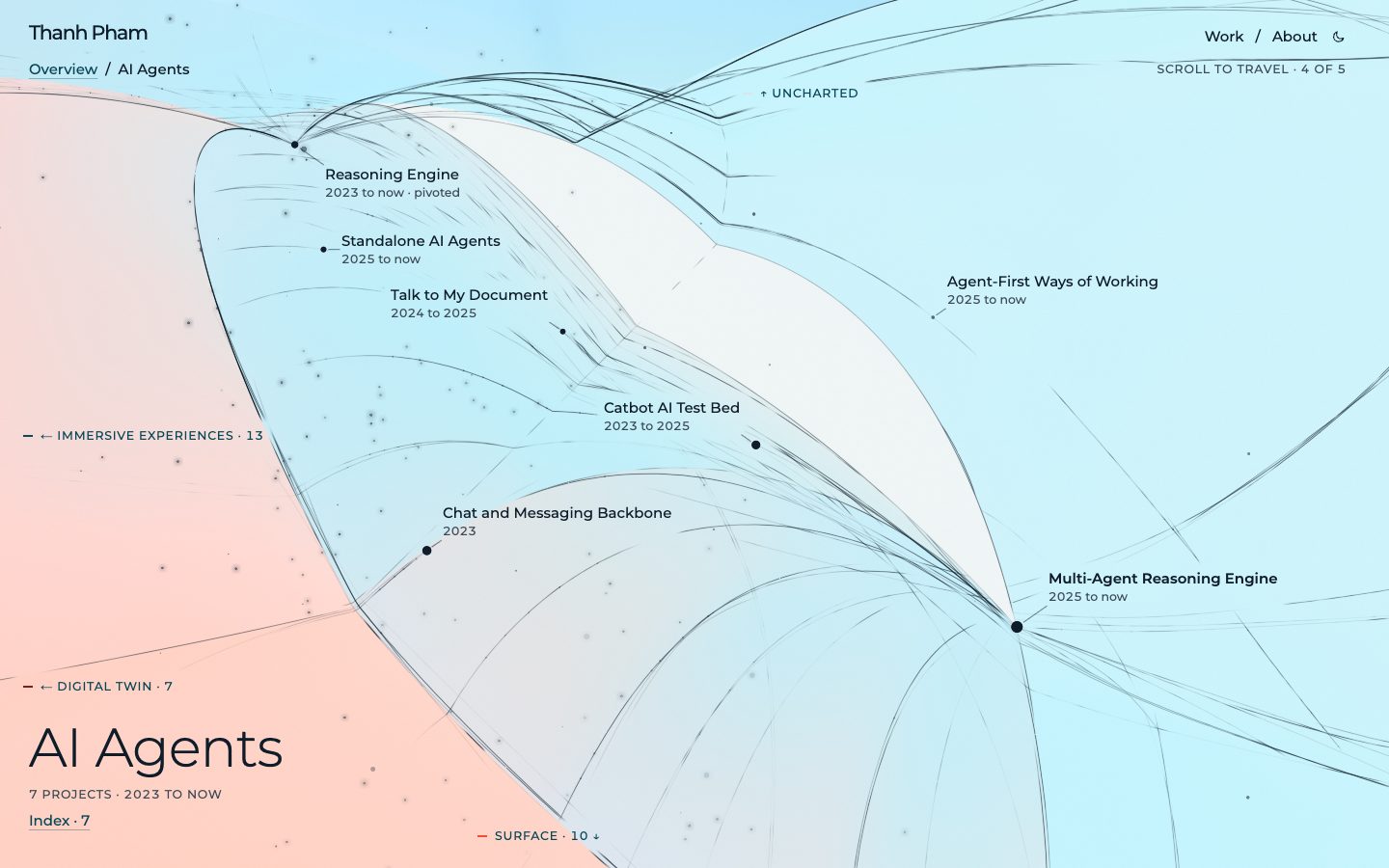
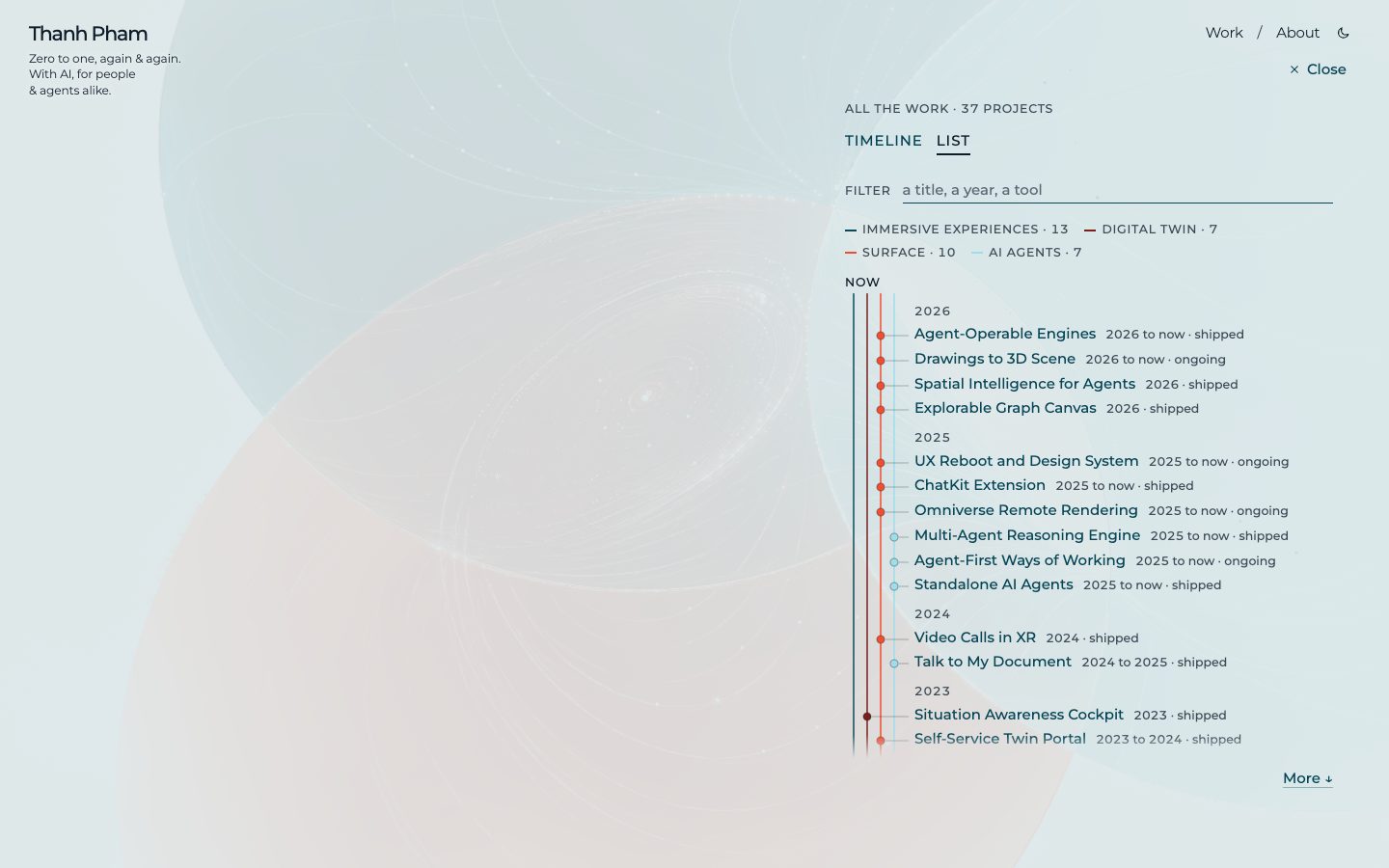
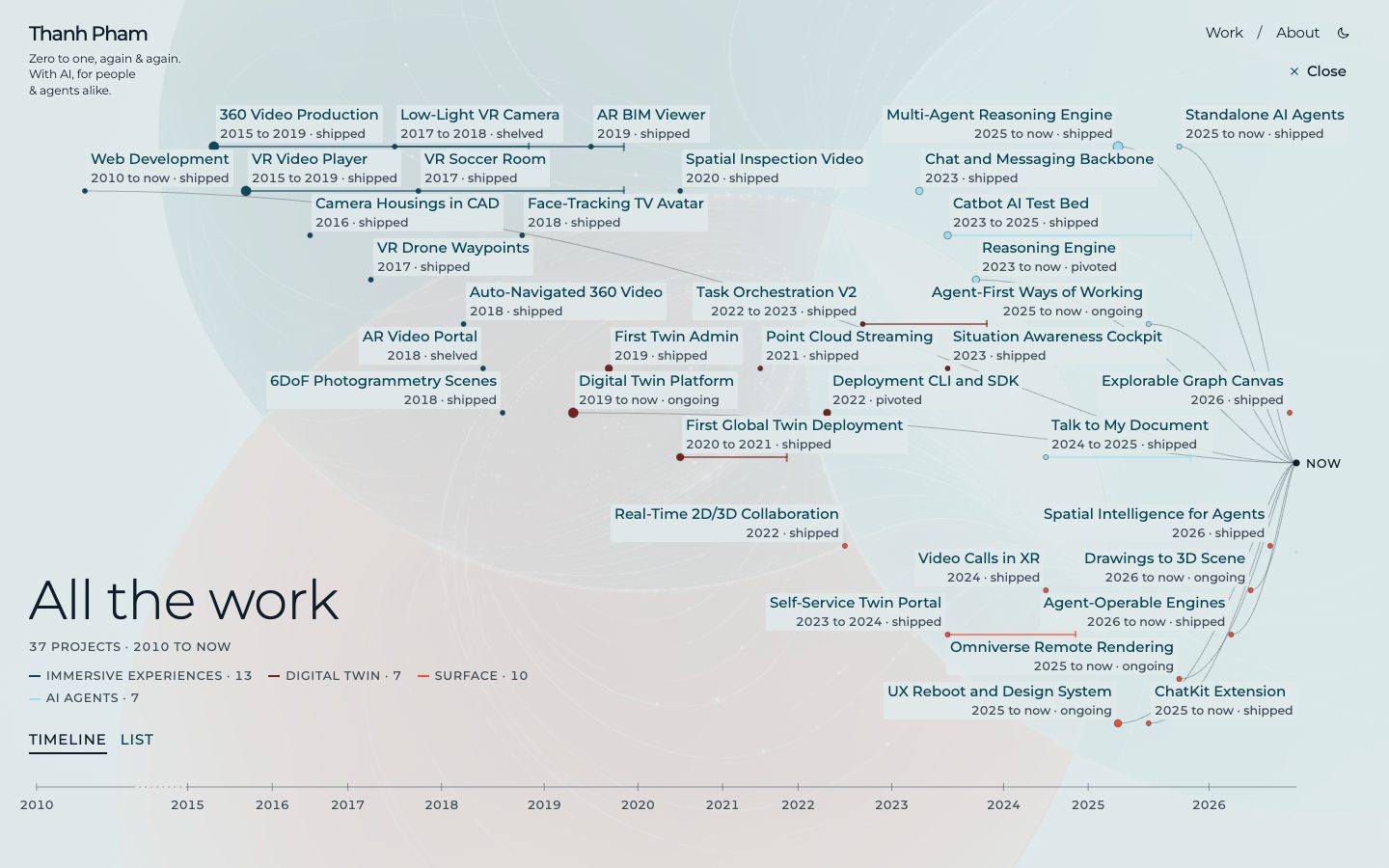
Spatial Intelligence for Agents
Technical Lead. 2026. Digital Twin, AI & ML, Web & Native Apps. Outcome: shipped.
Lesson: What if massive tech stacks and libraries are restructured for agents from the ground up? More space to focus on bringing value and collaboration.
The lesson in full: Libraries and SDKs are made to build things, but not everyone can or likes to consume them in the same way. What if working with agents is a fundamental prerequisite? When those ‘what ifs’ turn into reality, the problems shrink drastically, leaving space to focus on leveraging tools and tech to solve real problems, bring real value and justify the work.
A milestone of the Omniverse and agent work. At GTC Berlin on 21 October 2026, Falkor showcased AI agents that see, simulate and reason over industrial facilities, in videos shown in NVIDIA’s keynote and in sessions. The scene is SimReady OpenUSD derived from the facility’s engineering CAD, running in Falkor Surface on Azure, with every light from a fixture in the engineering data, found by semantic mining and physically simulated. An agent requests a view, identifies the equipment behind a pixel, changes the scene and looks again. Where no current CAD exists, agents powered by models such as GPT-6 Astra build an OpenUSD model from engineering drawings and anchor it to laser scans. Underneath all of this is a larger shift. NVIDIA now ships Omniverse’s core as standalone, embeddable libraries alongside the Kit application framework: ovstage for shared OpenUSD scene data, ovrtx for rendering, ovphysx for physics and ovstream for streaming. They are part of NVIDIA’s Agent Toolkit, for developers and AI agents alike, and most ship agent skills, with MCP servers alongside. The keynote framed CUDA-X the same way, as libraries that give agents “the tools of the trade”. Our Omniverse integration moved onto those libraries in 2026; on top I built the browser streamer and an MCP server over the render engine, so agents can set views, overlays and camera paths.
Summary: AI agents that see, simulate and reason over an industrial facility; the work was featured in NVIDIA’s keynote
Metrics: Featured in NVIDIA’s GTC Berlin 2026 keynote.
Technologies: NVIDIA Omniverse, OpenUSD, Azure, Semantic Mining, GPT-6 Astra, Point Cloud.
Built on lessons from: Omniverse Remote Rendering, Agent-Operable Engines, Drawings to 3D Scene, Multi-Agent Reasoning Engine, UX Reboot and Design System.
Links: Article, Blog post, Video 1, Video 2.
Drawings to 3D Scene
Technical Lead. 2026 to now. AI & ML, Digital Twin. Outcome: ongoing.
Lesson: There comes a time when a certain threshold is crossed and previously walled tasks are now closer to feasible
The lesson in full: Tipping the scale can be a very gradual process. I was skeptical about the ‘spatial’ capabilities of GPT-6 Astra and Opus 5.5 as I was initially still evaluating them against coding and text-based problems. But domains that were once ‘interesting but not capable enough’ turned into ‘this can save time and bring real value’, which means one must be ready to invalidate previous assumptions and adapt quickly.
An agent reads P&IDs and layout drawings, builds a graph of equipment and process relations, generates a provisional 3D scene, then grounds it against laser scans. The discipline: every generated element carries the stage it is at, the evidence behind it and what would promote it. Generate from evidence, ground against reality, then simulate.
Summary: Agents are good at spatial reasoning now, why not tackle real problems in this space
Technologies: Spatial Reasoning, OpenUSD, Point Cloud, Multimodal, P&ID.
Built on lessons from: Talk to My Document, Agent-Operable Engines, Omniverse Remote Rendering, Point Cloud Streaming, Multi-Agent Reasoning Engine, First Global Twin Deployment.
Lessons carried into: Spatial Intelligence for Agents.
Agent-Operable Engines
Technical Lead. 2026 to now. AI & ML, Digital Twin, Web & Native Apps. Outcome: shipped.
Lesson: Give the agent eyes and hands on one engine at a time; the reasoning stays in the agent harness
The lesson in full: Improving the complexity does not always help bring the ball forward; sometimes simplicity in the agent’s context survives break-neck pace better. Previous well-tuned instructions, examples and evals can look well-crafted but might confuse agents more than they help. Adding ‘enabler factors’ instead of overloading the context with intricate details often yields better results.
The Reasoning Engine gained MCP support, both for connecting to external MCP servers as well as leveraging complex internal ones. Three engines got agent-facing MCP servers I call reasoners: one over the CAD import engine, one over the Omniverse render engine, one providing the internal Surface/Twin SDK as simple and descriptive tools. These MCP servers as well as their CLI counterparts provide agents with the context and grounding they need to do value-bringing work. This is especially true for the latest class of LLMs like GPT-6 Astra and Opus 5.5 (as of 2026-10) with highly ‘spatial/multimodal reasoning’ capacities, where the work turns into not guiding them as much but rather providing them with richer context.
Summary: Agents that can look at and operate the 3D scene, not only talk about it
Technologies: MCP, OpenUSD, Image-in-the-Loop, Multimodal, CLI.
Built on lessons from: Multi-Agent Reasoning Engine, Standalone AI Agents, Omniverse Remote Rendering, Video Calls in XR.
Lessons carried into: Spatial Intelligence for Agents, Drawings to 3D Scene.
Explorable Graph Canvas
Technical Lead. 2026. Digital Twin, Web & Native Apps, AI & ML. Outcome: shipped.
Lesson: Ideas that can bring value no longer need to be shelved; accelerated at the pace of coding agents
The lesson in full: Agents can spam endless ideas but not all are value-bringing; humans understand the problem context and can curate the valuable ones but lack time. The combination gives fast iteration, sure, but it also demands much higher/clear specification and discipline in defining the problem and the desired outcomes.
A canvas in Surface where the relationships around an asset are laid out as a graph, with an agent proposing related assets and the person deciding what stays. The second iteration was a remake for legibility: edge bundling, zoom-dependent level of detail and clustering, so a large neighborhood reads at a glance instead of as a hairball. Connecting different data sources and making them accessible to end users has always been at the core of the product, and this iteration reinforced that principle, in the newly reimagined Surface. These ideas are not new, but have been shelved for so long. The reason it’s possible now is because the coding agents can iterate with a clear spec and driving use case. This also explores the concept of ‘chatting on a graph’ where each node expansion is driven via agents instead of predetermining (based on ontology or static rules). So rather than working with a linear flow, each ‘chat’ now creates a forked graph where one can navigate different branches and explore multiple possibilities simultaneously.
Summary: Relationships you can read; graph as an explorable canvas with agents
Technologies: Graph Visualization, Design System, Edge Bundling, Clustering.
Built on lessons from: UX Reboot and Design System, Multi-Agent Reasoning Engine, Real-Time 2D/3D Collaboration.
Omniverse Remote Rendering
Surface Team Lead. 2025 to now. AI & ML, Digital Twin, Web & Native Apps. Outcome: ongoing.
Lesson: Seeing is believing; but GPUs are expensive; and WebRTC is a pain
The lesson in full: While the technical challenge is not trivial, the biggest hurdle is the cost of GPU cloud rendering and licensing. However, even with that in mind, to be able to see physically-accurate rendering of your asset with thousands of light sources really gives a different sense of ‘being there’, compared to a typical real-time 3D engine.
Omniverse for high-fidelity 3D remote-rendering and simulation. This requires deep integration with both third-party services and the internal AI orchestration engine. Our 3D Interaction Agent can control the Omniverse extension in the same way it controls our internal 3D engine, as I created a message bus that translates commands like ‘fly to equipment’, ‘highlight part’, ‘show annotation’, etc. via WebRTC to the Omniverse remote rendering machine. Now with coding agents like Claude and GitHub Copilot, setting things up and adding testing features is very simple. In April 2026 the collaboration with NVIDIA was announced at Hannover Messe. In 2026 the integration moved from one monolithic Omniverse app to the decomposed library stack: a render engine, a scene-state owner, a streaming layer and a physics library, each consumed as plain Python functions. On top of that I built two small apps: a streamer that serves frames to the browser over WebRTC, and an agent-facing reasoner, an MCP server over the render engine, so the same agents that drive the Surface client can set view modes, overlays and camera paths in a photorealistic scene. Validated on a GPU box against an open-data offshore facility: physically simulated lighting at night and at dawn, selection and flow overlays, and rigid-body experiments such as a crane-lift clearance check.
Summary: Remote rendering with Kognitwin data in Omniverse
Technologies: NVIDIA Omniverse, OpenUSD, MCP, Python, WebRTC.
Built on lessons from: UX Reboot and Design System, Self-Service Twin Portal, Video Calls in XR, Multi-Agent Reasoning Engine.
Lessons carried into: Spatial Intelligence for Agents, Drawings to 3D Scene, Agent-Operable Engines.
Links: Article.
Standalone AI Agents
Surface Team Lead. 2025 to now. AI & ML, Digital Twin, Web & Native Apps. Outcome: shipped.
Lesson: It’s amazing how skilled teams go to great lengths to create silos when context is missing, all with the best intentions
The lesson in full: That lesson is not new by any means, but it is usually a much longer, political process. By this point in time, my ‘gatekeeper/pioneer’ role for AI work in Kognitwin (purely by the % of the code base I authored) has turned out to be a disadvantage, as multiple teams either assumed that ‘chat channel is THE way’ or preferred not to involve the engine’s author, and built their own solutions, fueled by the massive interest and mandate to work with AI. This is also on me, as ‘standalone AI agent’ was not documented as part of the original Reasoning Engine architecture. This led me to double down even more on the new way of documenting and using AI as an integral tool not just for our users, but for all internal teams as well.
While most interaction with AI in Kognitwin is via a chat interface, there are situations where ‘chat message in a channel with a user’ is not the ideal paradigm. This project created a ‘standalone execution environment’ for AI agents, with the Chat being one such execution environment. Includes a REST endpoint with SSE for streaming, task pipeline integration, SDK examples, and experimental MCP Server support.
Summary: AI agents beyond chat interface
Technologies: MCP, REST, SSE, Task Pipeline, SDK.
Built on lessons from: Reasoning Engine, Multi-Agent Reasoning Engine, Chat and Messaging Backbone, Task Orchestration V2.
Lessons carried into: Agent-Operable Engines.
ChatKit Extension
Surface Team Lead. 2025 to now. AI & ML, Digital Twin, Web & Native Apps. Outcome: shipped.
Lesson: Why not try things out when there are many AI agents to help you?
The lesson in full: There’s a tendency to make ‘custom/in-house’ solutions for a lot of things in KDI, for a very valid reason: to create maximum synergy with the other parts of the product. That is how our Reasoning Engine is still very much custom. This usually comes at the cost of not being able to leverage the speed of third-party innovation, especially ones by big players like OpenAI, Claude, Meta, etc. With the helping hands of AI agents, the scale is tipped when it comes to justifying time/effort to try things out.
Building on top of the ‘extension paradigm’ that both the Portal and Surface applications are built upon, this project focuses on an external-focus extension: OpenAI ChatKit for an AI-powered chat interface. Includes wrapping the Reasoning Engine for ChatKit-compatible responses via REST/SSE, creating a Surface extension for context construction, and bidirectional translation of Reasoning Engine concepts to ChatKit concepts.
Summary: ChatKit with custom backend: Reasoning Engine
Technologies: OpenAI ChatKit, REST, SSE.
Built on lessons from: Reasoning Engine, UX Reboot and Design System, Self-Service Twin Portal.
Agent-First Ways of Working
Innovation Department Tech Lead. 2025 to now. AI & ML. Outcome: ongoing.
Lesson: Every human has their own way of thinking and absorbing information, AI can help bridge the gap
The lesson in full: While the outcome of this approach remains to be seen, my direct team and I have fully embraced this way of working and accelerated our work. From starting multiple sessions locally, spinning up cloud agents to validate and refine ideas, to realizing the gap in what we have not written down, this has become an integral part of our workflow. This also flips the scale on certain ‘exploration’ tasks that would have been put on hold otherwise.
Treating AI as a ‘friend/colleague’ that can maintain a massive context window. This fundamentally changed our documentation approach: instead of omitting details, include all of them for AI to filter; instead of writing conclusions only, include the entire thought process with rationale and trade-offs; instead of writing what code does, focus on why and the value. Adopted AGENTS.md and Agent Skills standards. By late 2026 this is a practice with artifacts, not a stance. In the Surface repository I authored 12+ agent skills that drive various aspects of our specification, development and testing processes. Some examples: a skill to validate assumptions-turned-facts during multi-agent workflows or long-running sessions with multiple context compactions; a set of skills to preserve the ‘thought process’ behind decisions and actions, usually from long meetings and debates, which ensures that the rationale, alternatives, and trade-offs are kept for agents and human collaborators alike; and skills to compensate for gaps and leverage strengths with different harnesses and LLMs, including generation and reasoning with images for GPT models, gap-tracking for high-context models, etc.
Summary: AI as a colleague and target audience for documentation
Metrics: Adopted AGENTS.md and Agent Skills for the full Surface repository. Partially adopted into the main Kognitwin Monorepo. Authored 12+ agent skills in the monorepo.
Technologies: GitHub Copilot, AGENTS.md, Agent Skills, Coding Agents.
Built on lessons from: Reasoning Engine, Multi-Agent Reasoning Engine, Catbot AI Test Bed.
UX Reboot and Design System
Surface Team Lead. 2025 to now. Digital Twin, Web & Native Apps. Outcome: ongoing.
Lesson: Sometimes, going back to basics is the only way forward
The lesson in full: After years of rapid development and scaling, the Kognitwin product has accumulated a lot of technical debt, inconsistent UX patterns, fragmented concepts and teams forming silos. This effort is nowhere near complete due to the scale and ambition. Besides the technical challenges, aligning this with our existing customers is no small feat, and has only been possible with everyone wanting to move forward together.
A complete UX overhaul of the Kognitwin digital twin application, completely rethinking the user flow, interaction paradigms, and visual design to make a consistent and value-focused experience. This includes the creation of an internal design system instead of relying on Angular Material. This is the 4th app in Kognitwin, after the main ‘twin’, ‘admin’ and ‘portal’ applications.
Summary: Re-establish the foundation of Kognitwin, UX and Core Concepts
Technologies: Angular, Design System.
Built on lessons from: Digital Twin Platform, Self-Service Twin Portal, Situation Awareness Cockpit.
Lessons carried into: Spatial Intelligence for Agents, Explorable Graph Canvas, Omniverse Remote Rendering, ChatKit Extension.
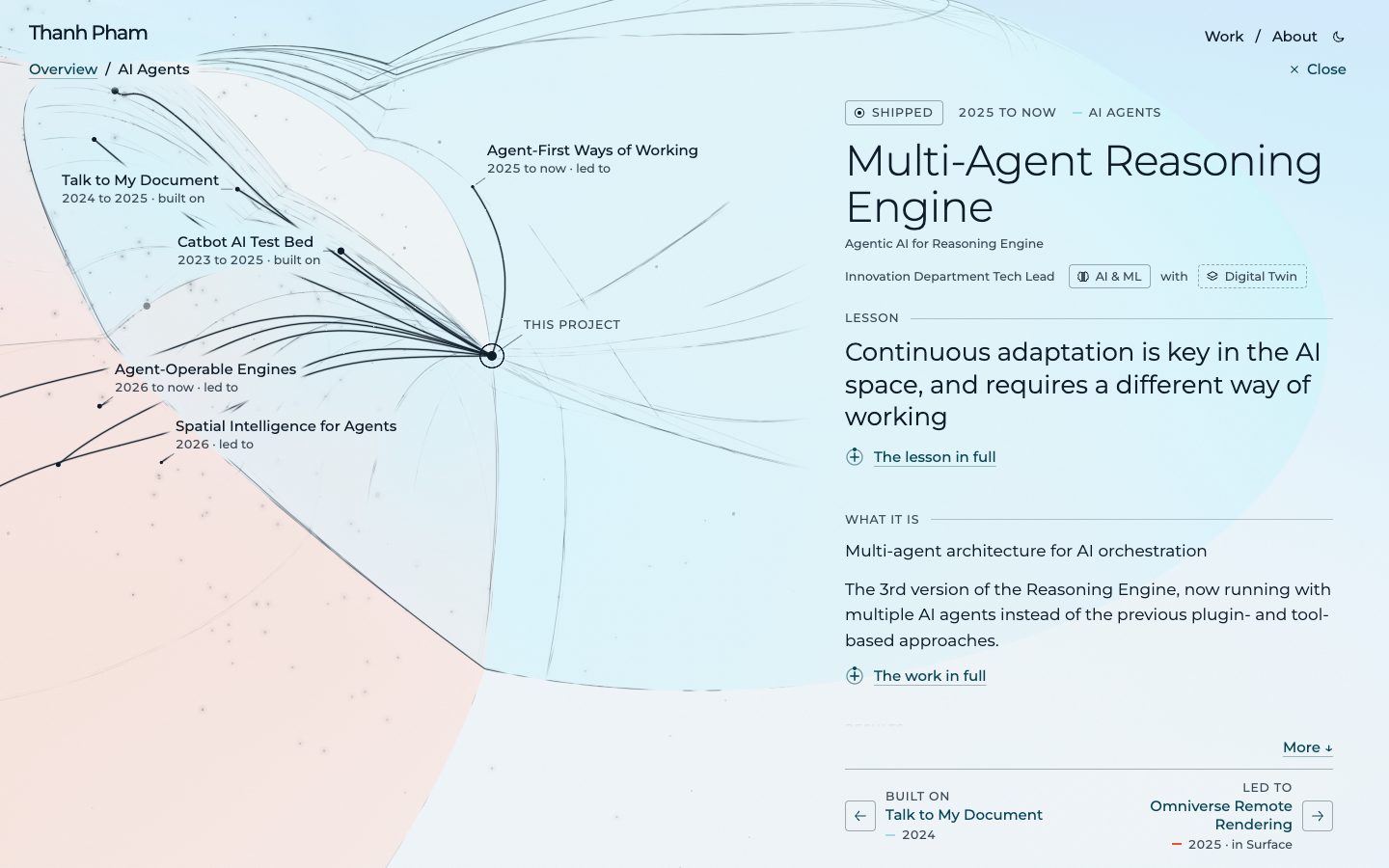
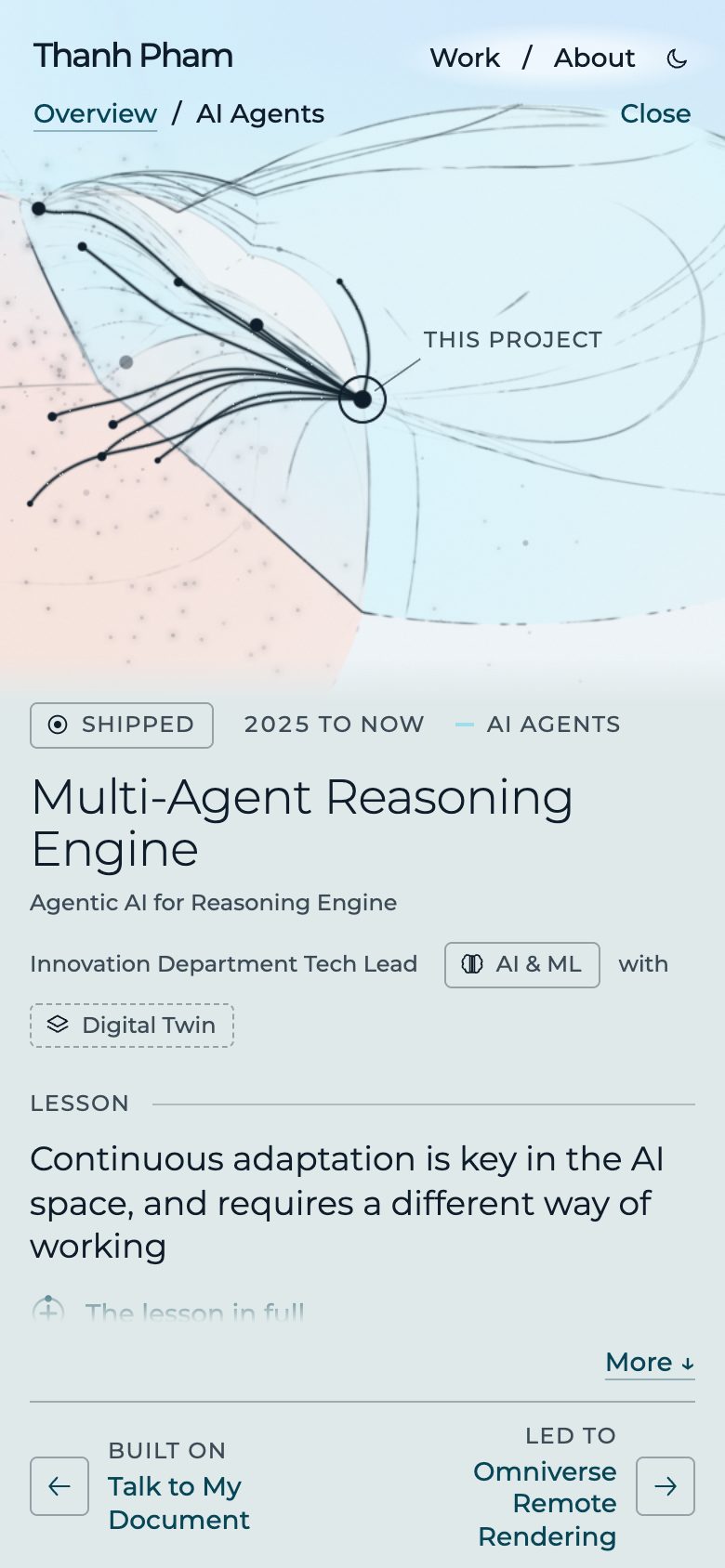
Multi-Agent Reasoning Engine
Innovation Department Tech Lead. 2025 to now. AI & ML, Digital Twin. Outcome: shipped.
Lesson: Continuous adaptation is key in the AI space, and requires a different way of working
The lesson in full: Willingness to delete code and pivot architecture is easier said than done, and usually only applies to ‘legacy’ code that has been around for a while. In this case, the code base is ~1 year old, and still ‘fresh’. While I’m very comfortable with this, it’s a different story for the rest of the team, with some of them still learning/familiarizing themselves with the 2 previous versions. This problem has mostly been smoothed out now (early 2026), but there is still resistance till this date, especially with teams in other locations.
The 3rd version of the Reasoning Engine, now running with multiple AI agents instead of the previous plugin- and tool-based approaches. This allows for much more flexible and dynamic behavior, as now the system behaves more like a human team of collaborators instead of a pre-defined workflow. While the agents still have access to tools created from RTS (v2), the core architecture changed from a semi-linear, predetermined flow with a clear start and end, to an open-ended, event-driven system where agents can start, pause, request input, execute tools, hand off to other agents, etc. before replying to the user. This, again, was co-authored with our CTO. This was also introduced together with a new Chat UI that supports multi-agent conversation, with a reasoning bar (displaying thoughts, actions) and a thought process panel that visualizes the entire logical flow inside the agent (for transparency). This aspect was co-authored with my team member in the Surface team, who is also the Application Framework Tech Lead.
Summary: Multi-agent architecture for AI orchestration
Metrics: Included as part of the standard Kognitwin Package for all facilities. 90%+ of code and architecture ownership.
Technologies: Multi-Agent Systems, Event-Driven.
Built on lessons from: Reasoning Engine, Catbot AI Test Bed, Talk to My Document.
Lessons carried into: Spatial Intelligence for Agents, Drawings to 3D Scene, Agent-Operable Engines, Explorable Graph Canvas, Omniverse Remote Rendering, Standalone AI Agents, Agent-First Ways of Working.
Video Calls in XR
Innovation Department Tech Lead. 2024. Digital Twin, Extended Reality, Web & Native Apps. Outcome: shipped.
Lesson: WebRTC is still hard, especially cross-region and network complexity
The lesson in full: While WebRTC has been around for a while, building a robust, scalable video call system is still hard. The complexity of network conditions, NAT traversal, multi-region latency, etc. all add up to an unpredictable user experience. While there are TURN/STUN servers to help with some of these problems, going there requires major investment, which is not feasible for an innovation project, so we had to land somewhere in the middle.
A WebRTC-based video call system integrated with the same ‘Chat’ backbone of the Kognitwin platform. As we also deliver XR solutions on the web via the same application, this function also works in VR headsets like Quest 3. In other words, a desktop user can see their colleague moving around in 3D space (as they are in VR) and then call them while collaborating on a piece of equipment together, and vice versa.
Summary: Since there’s chat, why not video call too?
Technologies: WebRTC, WebSocket, Quest 3, TURN/STUN.
Built on lessons from: Chat and Messaging Backbone, Real-Time 2D/3D Collaboration, VR Video Player.
Lessons carried into: Agent-Operable Engines, Omniverse Remote Rendering.
Talk to My Document
Innovation Department Tech Lead. 2024 to 2025. AI & ML, Digital Twin. Outcome: shipped.
Lesson: Knowing about AI models is not the same as using them to solve real-world problems
The lesson in full: Beyond the obvious insight on embeddings and vector search, the biggest lesson: knowledge of AI/ML and applied application in real-world usage are 2 very different things. Take the 3D world for example, the ones that create the 3D engines (Unity, Unreal) and the ones that use them (game developers) are 2 distinct groups. I still remember the GPT-3 document included a line ‘turn-based text structure can exhibit assistant behaviour’, and that was 8 months before ChatGPT was released. Knowing that GPT-3 can complete text is not the same as building the application layer for ChatGPT.
Documents of all types are one of the biggest data sources in Kognitwin with 100K to 3 million documents in each facility, depending on size. Before this project, document search was keyword-based, focusing on metadata (title, linked equipment, tags) not the content itself. This project enabled search on document content and used that as grounding for AI copilots/agents. Key technical challenges: JSON-izing unstructured documents (PDF, Word, Excel, Images), creating chunks on structured JSON document trees for embedding, retrieving and ranking relevant documents for grounding, and indexing millions of documents within reasonable time and cost. This project was also co-engineered with a team of 15+ developers and data scientists from Microsoft.
Summary: Embedding-based document search in Kognitwin, co-engineered with Microsoft
Metrics: Indexed 600K documents for 1 facility in 1 week. 8 million+ vectors during POC. Issue tracking and code via GitHub across KDI and the Microsoft team.
Technologies: Vector Embeddings, Qdrant, Chunking, Multimodal, OCR, Azure Cognitive Services.
Built on lessons from: Catbot AI Test Bed, Reasoning Engine.
Lessons carried into: Drawings to 3D Scene, Multi-Agent Reasoning Engine.
Reasoning Engine
Innovation Department Tech Lead. 2023 to now. AI & ML, Web & Native Apps, Digital Twin. Outcome: pivoted.
Lesson: The AI world moves fast; if we are not moving at the same pace, might as well not move at all
The lesson in full: After shipping the first version of the Reasoning Engine, which was based on plugins (v1), the AI landscape continued to change drastically. New reasoning/thinking models, structured output, multimodal, MCP, etc. were all released at a rapid pace. While we take pride in our architecture, moving on was the only option, including deleting and refactoring a majority of the orchestration code base.
An AI Orchestration Engine to enable AI capabilities in Kognitwin. The goal is to create a system that can answer questions with grounded facts and autonomously perform complex tasks by orchestrating multiple AI models and tools. This involves integrating various AI services, managing workflows, and ensuring seamless communication between different components. In a way, this is the biggest project I am responsible for. As of early 2026 I still own 90%+ of the code base and architecture. The orchestration system was originally co-authored by me and our chief architect (who then became our CTO and CPO), and was introduced together with the revised chat system. Before we pivoted to agentic (v3), this system went through 2 major versions: Plugin-based (v1, internally called SAR: Select plugin > Activate plugin > Respond), and Tool-based (v2, internally called RTS: Reasoning Tool Strategy).
Summary: Ground AI responses with deep integration to Kognitwin concepts
Metrics: Shipped AI copilot to production for 3 regions.
Technologies: RAG, LLM.
Built on lessons from: Catbot AI Test Bed, Chat and Messaging Backbone, Task Orchestration V2.
Lessons carried into: Standalone AI Agents, ChatKit Extension, Agent-First Ways of Working, Multi-Agent Reasoning Engine, Talk to My Document.
Catbot AI Test Bed
Hacker. 2023 to 2025. AI & ML, Web & Native Apps. Outcome: shipped.
Lesson: Fast prototyping is invaluable to move fast
The lesson in full: Having a low-friction, low-stakes environment to prototype and test new ideas is very fun and indispensable. Here I can both allow myself to ‘play’ and experiment with new ideas, as well as use it as the proving ground for ‘real’ product features. It’s always easier to talk about something that you can see and use, rather than abstract ideas.
A response to a simple question: ‘How hard can it be to have a ChatGPT-like (GPT-3 at the time) function to test things out’. The Catbot (and its sibling Hatbot) is an internal Slack App created to quickly prototype and test AI capabilities before taking lessons learned into the main product. Built with a simple architecture: a Slack App with the Slack Bolt SDK that replies via the OpenAI API. Features implemented: long-term memory (recall, remember, forget per user using text-embedding-3 and Qdrant), embedding-indexed emoji reactions with GIF sequences using 200+ custom emojis, multimodal support (image/voice input and output), personalized voice from Azure with a custom voice model, custom personalities (Yoda, Caveman, etc.), and multi-user conversations with dedicated memory and personality for each agent.
Summary: Self-created Prototyping/Hacking Space
Technologies: Slack Bolt, OpenAI API, text-embedding-3, Qdrant, Azure Custom Voice, FFmpeg.
Built on lessons from: Deployment CLI and SDK, Chat and Messaging Backbone.
Lessons carried into: Agent-First Ways of Working, Multi-Agent Reasoning Engine, Talk to My Document, Reasoning Engine.
Chat and Messaging Backbone
Foundation Team Tech Lead. 2023. Digital Twin, Web & Native Apps. Outcome: shipped.
Lesson: Before AI, chat was a trivial feature, but now it is fundamental in many products
The lesson in full: While chat used to be a trivial feature as part of our collaboration suite, the introduction of AI use cases means chat needs to be taken much more seriously, especially on how AI chat shows transparency, reasoning steps, etc.
A complete chat and messaging architecture for Kognitwin. This is the backbone for both the internal chat and the AI copilot chat system. Built with scalability and performance in mind, with load balancing work distributed across multiple worker nodes. This took the lessons learned from the previous ‘live collaboration and chat’ system and Slack’s architecture, to avoid reinventing the wheel. This was introduced at the same time as the ‘Reasoning Engine’ project to enable an AI-powered chat experience in Kognitwin.
Summary: Scalable chat backbone for Kognitwin
Technologies: WebSocket, Load Balancing, Worker Nodes.
Built on lessons from: Digital Twin Platform, Real-Time 2D/3D Collaboration.
Lessons carried into: Standalone AI Agents, Video Calls in XR, Reasoning Engine, Catbot AI Test Bed.
Self-Service Twin Portal
Foundation Team Lead. 2023 to 2024. Digital Twin, Web & Native Apps. Outcome: shipped.
Lesson: VS Code and OSs are great inspiration for complex applications
The lesson in full: Having good UX for managing complex systems is hard, even harder than the end-user application itself. This fact is mostly an afterthought for B2B applications but eventually becomes a bottleneck to truly scale a ‘good’ product. Surprisingly, looking at OSs (Windows, macOS, Linux) and VS Code for inspiration provides a lot of valuable insights. The best learning is watching a master at work.
This is the fully revisited admin application of the Twin, but not for ‘configuration management’. It is a re-think of how admin and super users will set up and manage the digital twin for their assets, going from Zero to Hero within a few hours, with self-serve data pipelines and standardized package/feature deployment. This is a complete shift to a new look and feel, relies on new core concepts/architecture, and is fundamentally a different ‘build’ from both the ‘twin’ and ‘admin’ applications. The project is heavily inspired by VS Code and the extensibility architecture. This project targets all problems mentioned in the ‘Deployment CLI and SDK’ and ‘First Twin Admin’ experiences.
Summary: Rethink admin experience for digital twin
Technologies: Angular, TypeScript, Extensibility Architecture.
Built on lessons from: Digital Twin Platform, Deployment CLI and SDK, First Twin Admin.
Lessons carried into: Omniverse Remote Rendering, ChatKit Extension, UX Reboot and Design System.
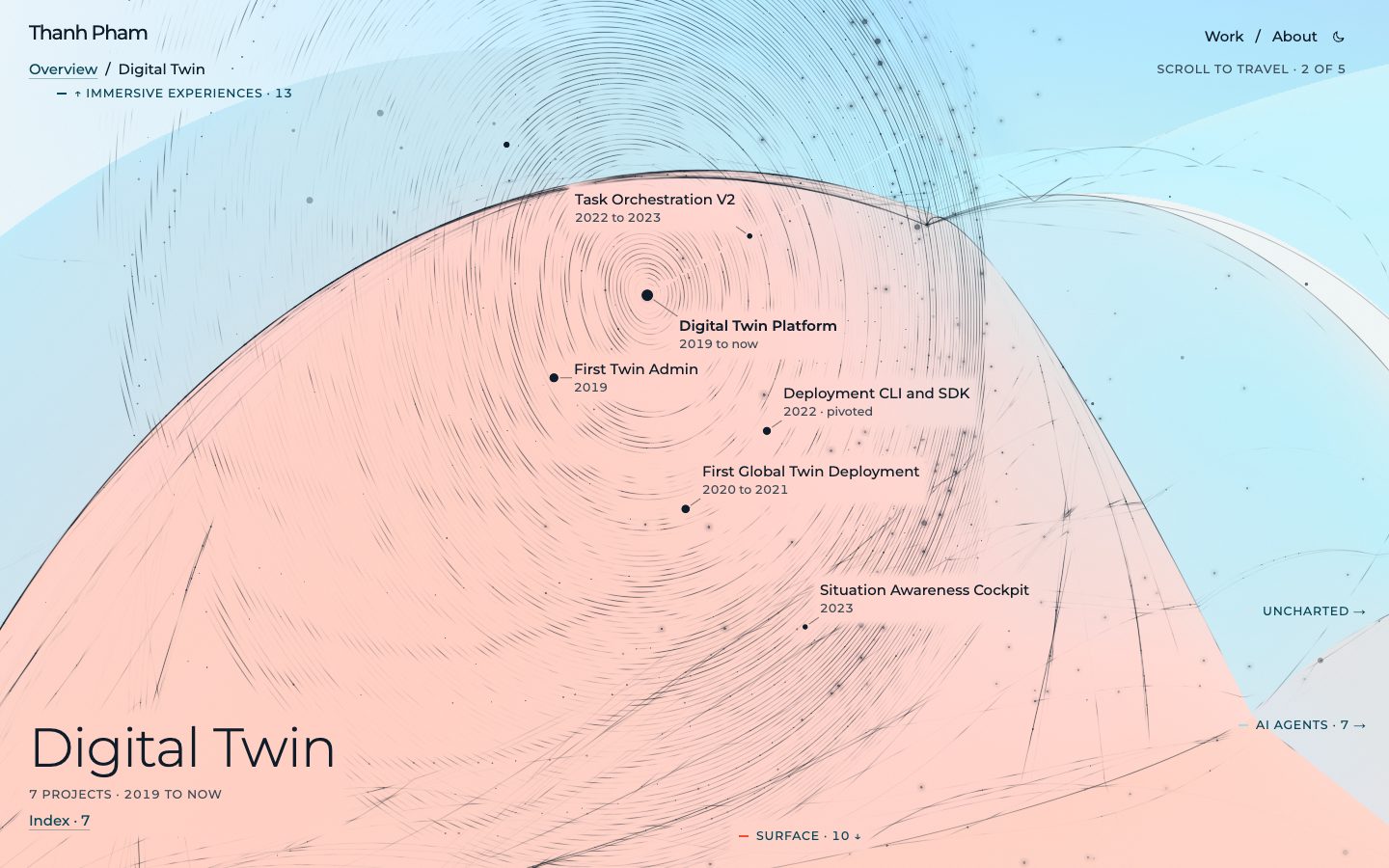
Situation Awareness Cockpit
AoTF Tech Lead. 2023. Digital Twin, Web & Native Apps. Outcome: shipped.
Lesson: Be wary of the telephone game; dare to rethink the entire experience, while navigating challenging politics
The lesson in full: Stepping into the ‘full-stack’ role again gave me a new perspective on what happens when the end user is not an integral part of the development cycle. The ‘telephone game’ effect is dangerously real in a B2B context, where multiple layers of product management, sales, deployment teams and development teams can distort original user needs. What’s even harder is dealing with the consequences of such distortion, keeping everyone happy, understanding the root of user needs and finding ways to deliver real value.
My temporary return to the deployment role after 2 years away (since Trinidad & Tobago in 2021), for a North American LNG operator. The original discussion was: ‘When changing shift, one has to read a paper that the previous shift wrote, to be aware of what happened’. The telephone game of product management led to less than ideal feature development where teams were trying to ‘replace the paper’ with digital twin features, trying to tick boxes. As both sides sat together in the same office, we realized it’s not the paper that users care about, it is the transfer of context to be aware of the situation. This led to a complete UX rethink: how the ‘at a glance’ experience should be designed. This project introduced many new core concepts for Kognitwin focusing on the time dimension: shift, handover, process roles, operation rounds, etc.
Summary: Instead of ‘replace a paper’, rethink how context is transferred
Technologies: Zero-to-One, UX, B2B.
Built on lessons from: Digital Twin Platform, First Global Twin Deployment, Deployment CLI and SDK.
Lessons carried into: UX Reboot and Design System.
Task Orchestration V2
Foundation Tech Lead. 2022 to 2023. Digital Twin, Web & Native Apps. Outcome: shipped.
Lesson: Throwing away ‘correct at the time’ solutions is as important as avoiding overengineering
The lesson in full: While the work itself is foundational to the product, especially self-service and for future AI-driven orchestration, it is mostly about adopting prior art, picking the ones that can carry the product forward without overengineering while feeling no remorse for discarding ‘correct at the time’ implementations. It’s too easy to be tempted to just ‘pick the best out there’.
The second generation of task orchestration in Kognitwin: long-running jobs (data integration, contextualization, deployment steps) expressed as tasks in a pipeline with status, retries and provenance, runnable on a user’s behalf. While this is not a ‘novel’ idea, this lays the groundwork for the task system to operate as the backbone of more types of orchestration, including AI-driven processes that users can initiate and re-configure. Before: lessons from the international deployment, the data integration work and the CLI/SDK tooling. After: this pipeline is the execution substrate the Reasoning Engine later runs on, which is why AI orchestration landed with me.
Summary: Jobs became tasks; foundation of orchestration
Technologies: Task Pipeline, Data Integration, SDK.
Built on lessons from: First Global Twin Deployment, Deployment CLI and SDK, First Twin Admin.
Lessons carried into: Standalone AI Agents, Reasoning Engine.
Deployment CLI and SDK
Foundation Team Lead. 2022. Digital Twin. Outcome: pivoted.
Lesson: A tool’s value is not measured by its features or vision, but by how users adopt it to solve problems
The lesson in full: The tool performed as intended with planned features. However, observed problems remained mostly the same and got worse as we waited for adoption for ~6 months. Three main reasons: the CLI tool allowed a ‘legacy’ mode for the transition which became an easy/no-action-needed path; no time was allocated beyond the ‘getting started’ phase; adoption was measured on usage, not understanding of root problems. Result: near 100% ‘adoption’ with the majority simply replacing ‘script A’ with ‘ktw command A --legacy’.
A command line tool to manage Kognitwin deployment repositories, automate repetitive tasks, provide consistency and enforce validation. After 2 years of scaling up and deploying Kognitwin to multiple customers in multiple regions, the ‘extreme flexibility’ that makes the product unique began to show its downside: managing multiple deployment repositories with copy-paste pasta with slight modifications became extremely error-prone and time consuming. The tool was built with many sub-commands to handle different aspects of the deployment process, including setting up new data sources, stamping out standard configurations for newly deployed facilities, validating configuration and applying changes to different environments, and triggering task pipelines for data clean up, import, and contextualization.
Summary: Pivoted to part of original scope after evaluation
Metrics: Full adoption across deployment teams. Pivoted to 2 of 8+ sub-commands. For in-use commands, fully replaced duplicated scripts.
Technologies: CLI, TypeScript, SDK.
Built on lessons from: Digital Twin Platform, First Global Twin Deployment, First Twin Admin.
Lessons carried into: Catbot AI Test Bed, Self-Service Twin Portal, Situation Awareness Cockpit, Task Orchestration V2.
Real-Time 2D/3D Collaboration
Foundation Tech Lead. 2022. Digital Twin, Web & Native Apps. Outcome: shipped.
Lesson: Real-time is fun, but to take the last 20% to production is hard
The lesson in full: While the real-time collaboration feature works and is very fun to demonstrate, to mature it requires company-level investment. Take chat for example, we could chat without storing any messages and had a ‘default facility’ channel only, which is nowhere near a production-grade chat system.
Live collaboration in 2D, 3D and Chat in Kognitwin. The inspiration came from two places: the need to support ‘remote operation’ use-cases in heavy asset industries where teams are distributed across multiple locations and time zones, and consumer-grade collaboration tools like Figma and Google Docs. This was the first time Kognitwin supported real-time multi-user collaboration, where multiple users could see each other’s presence, cursors, annotations, etc. in both 2D and 3D space. Built on top of a WebSocket-based architecture with different channels for various data sources, with a backend supporting load broadcasting to multiple clusters/regions around the world. This was NOT comparable with products like Figma and other Chat applications. The support was minimal and targeted for specific use-cases, but it worked and we learned a lot from building it.
Summary: First real-time collaboration in Kognitwin
Technologies: WebSocket, Presence, Multi-Region Broadcasting.
Built on lessons from: Digital Twin Platform, First Global Twin Deployment.
Lessons carried into: Explorable Graph Canvas, Video Calls in XR, Chat and Messaging Backbone.
Point Cloud Streaming
Foundation Team Member. 2021. Digital Twin, Media & Camera, Web & Native Apps. Outcome: shipped.
Lesson: Performance can tip the feasibility scale even for B2B, not just nice-to-have
The lesson in full: In a B2B context, performance is usually lower on the list and not a make-or-break factor. However, enterprise users are consumers too and expectations are increasingly set by consumer-grade applications. Sometimes it’s worth taking on complex/full-stack challenges to create experiences that truly bring value to users: the ones that they actually use without frustration.
After handling the deployment lead role, this is one of the projects I worked on as part of the Foundation Team of Kognitwin. The goal was simple: make point cloud data fun and smooth to use and performant enough for both most desktops and some tablet devices. While our internal 3D engine already supported streaming point cloud data to a browser, there was a critical bottleneck on the web that the desktop client did not have: file API performance and resource caching. To solve this, I implemented 2 batching and caching layers on the client side with an LRU cache and IndexedDB, coupled with a server endpoint that operates on partial content requests (206). The end result basically brought the performance to mostly on par with the desktop client, which tipped the feasibility scale on most point cloud use-cases.
Summary: Desktop-like point cloud performance in browser
Technologies: Point Cloud, IndexedDB, LRU Cache, HTTP 206.
Built on lessons from: Digital Twin Platform, First Global Twin Deployment, Spatial Inspection Video.
Lessons carried into: Drawings to 3D Scene.
First Global Twin Deployment
Deployment Lead. 2020 to 2021. Digital Twin. Outcome: shipped.
Lesson: Full-stack can mean more than code or front- & back-end
The lesson in full: While I considered myself a full-stack developer before, this experience dramatically expanded my perception of that term: interpreting customer needs and feedback cycles on the ‘front’; data integration, contextualization, ever-green delta pipelines on the ‘back’; multi-region synchronization and images deployment on the ‘infrastructure’. The downside: doing full-stack in such an ‘end-to-end’ way requires a big ‘context-window’, making handover extremely complicated.
After the successful Enterprise Framework Agreement, the first ‘global’ Kognitwin deployment outside of Norway covered 5 facilities in Trinidad & Tobago. I took on the deployment lead role for ~1 year, working closely with the end user on a daily basis with a team spanning 3 continents. Key aspects included: direct customer communication requiring close collaboration; data integration with both ‘offline’ data (3D models, video, 360 images) and ‘live’ data via webhooks and third-party APIs; feature development including PnID Quality Dashboard, Iframe with synchronized camera, HTML Overlays for the internal 3D engine; and multi-region resource management and synchronization in Azure.
Summary: First Kognitwin deployment outside Norway
Metrics: Deployed to 5 offshore facilities in Trinidad & Tobago. Scale out of singular customer thinking. Architecture and pipeline framework for data integration.
Technologies: Data Integration, Webhooks, Multi-Region Infrastructure, Azure.
Built on lessons from: Digital Twin Platform, First Twin Admin.
Lessons carried into: Drawings to 3D Scene, Situation Awareness Cockpit, Task Orchestration V2, Deployment CLI and SDK, Real-Time 2D/3D Collaboration, Point Cloud Streaming.
Spatial Inspection Video
Software Engineer. 2020. Digital Twin, Web & Native Apps, Media & Camera, AI & ML. Outcome: shipped.
Lesson: You can’t connect the dots looking forward, trust they will somehow connect in your future (after Steve Jobs, Stanford 2005)
The lesson in full: I would not have guessed that the dots of handling big video data, working with YOLO models and building 3D experiences would connect in this way, but they did. Downside: while it worked, the road to production and scale was tough as the resources needed to process and serve such videos at scale were non-trivial.
While being evaluated for the EFA (Enterprise Framework Agreement) for digital twin, the POC team received an open challenge: ‘We have TBs of inspection footage, underwater, taken by ROVs. What can you do with it?’. Using the intersection of my experience in video processing, 3D visualization and AI/ML, I built a pipeline to extract geospatial metadata that was burned into video frames via OCR, reconstruct the 3D path of the ROV, visualize the video in the 3D coordinates of the facility and synchronize the video playback with the 3D position of an ‘ROV sphere’ in the 3D model. After the POC phase, this feature was further developed to support practical features like raw telemetry data, points of interest, and multiple cameras per ROV.
Summary: Video with a seek bar in 3D, powered by OCR. TBs of such.
Metrics: Deployed to offshore facilities in Trinidad & Tobago, Norway. 40+ TBs of video processed. Contributed to winning Enterprise Framework Agreement.
Technologies: OCR, YOLO, FFmpeg, Video Processing.
Built on lessons from: Digital Twin Platform, 360 Video Production, Auto-Navigated 360 Video, VR Video Player.
Lessons carried into: Point Cloud Streaming.
First Twin Admin
Software Engineer. 2019. Digital Twin, Web & Native Apps. Outcome: shipped.
Lesson: It doesn’t need to be complex to showcase unique value
The lesson in full: Even if the product is highly complex under the hood, the storytelling that resonates with customers is often simple and direct. And to tell such a story while the product is being constructed, what matters is that each element of the flow exists, enough to prove the future potential.
The first version of the admin portal in the early days of the Digital Twin product. My first major contribution to Kognitwin after joining KDI, working with folks that later became the core team for the product. A very naive application built to edit JSON configuration for the front end application, start contextualization tasks and monitor the status of such tasks. While simple, this focused on highlighting the ‘extreme flexibility’ of the Kognitwin product. This flexible aspect directly targeted a key challenge in heavy asset industries (B2B): Products are made to extremely rigid specs, which works well for whoever created the specs but not so much for similar-but-different facilities/assets.
Summary: Proving point for ‘flexible’ digital twin
Metrics: Contributed to winning Enterprise Framework Agreement for Kognitwin.
Technologies: Angular, TypeScript, WebSocket.
Built on lessons from: Digital Twin Platform.
Lessons carried into: Self-Service Twin Portal, Task Orchestration V2, Deployment CLI and SDK, First Global Twin Deployment.
Digital Twin Platform
Multiple Roles. 2019 to now. Digital Twin, Web & Native Apps, AI & ML, Extended Reality. Outcome: ongoing.
Lesson: An end-to-end workflow that connects dots across data silos, domains, and disciplines is key to delivering real value
The lesson in full: This ongoing journey at KDI has reinforced my belief that true full-stack ownership goes beyond just code. It requires understanding the entire ecosystem: from data sources, integration pipelines, user workflows, to infrastructure and AI capabilities. Only by connecting these dots can we deliver solutions that truly resonate with users and solve their complex problems.
My journey at Kongsberg Digital (KDI, now Falkor) building Kognitwin, an enterprise-grade digital twin platform for heavy asset industries like oil & gas, LNG, and energy. What started as building an admin portal to prove ‘extreme flexibility’ during the early product days has evolved into leading cross-functional initiatives spanning frontend, backend, infrastructure, AI, and UX. Over 7 years, I’ve worn many hats: shipping the first international deployment (Trinidad & Tobago), solving browser performance bottlenecks for point cloud streaming, building and pivoting internal CLI tooling, leading next-gen UX reboots, and architecting agentic AI orchestration.
Summary: Multi-year journey building and scaling a flexible digital twin platform
Metrics: Adopted by more than 3 major global energy companies. Deployed to 10+ regions globally. 10K+ engineering users.
Technologies: Angular, TypeScript, WebAssembly, 3D Visualization, Data Integration, Azure.
Built on lessons from: Web Development.
Lessons carried into: UX Reboot and Design System, Chat and Messaging Backbone, Self-Service Twin Portal, Situation Awareness Cockpit, Deployment CLI and SDK, Real-Time 2D/3D Collaboration, Point Cloud Streaming, First Global Twin Deployment, Spatial Inspection Video, First Twin Admin.
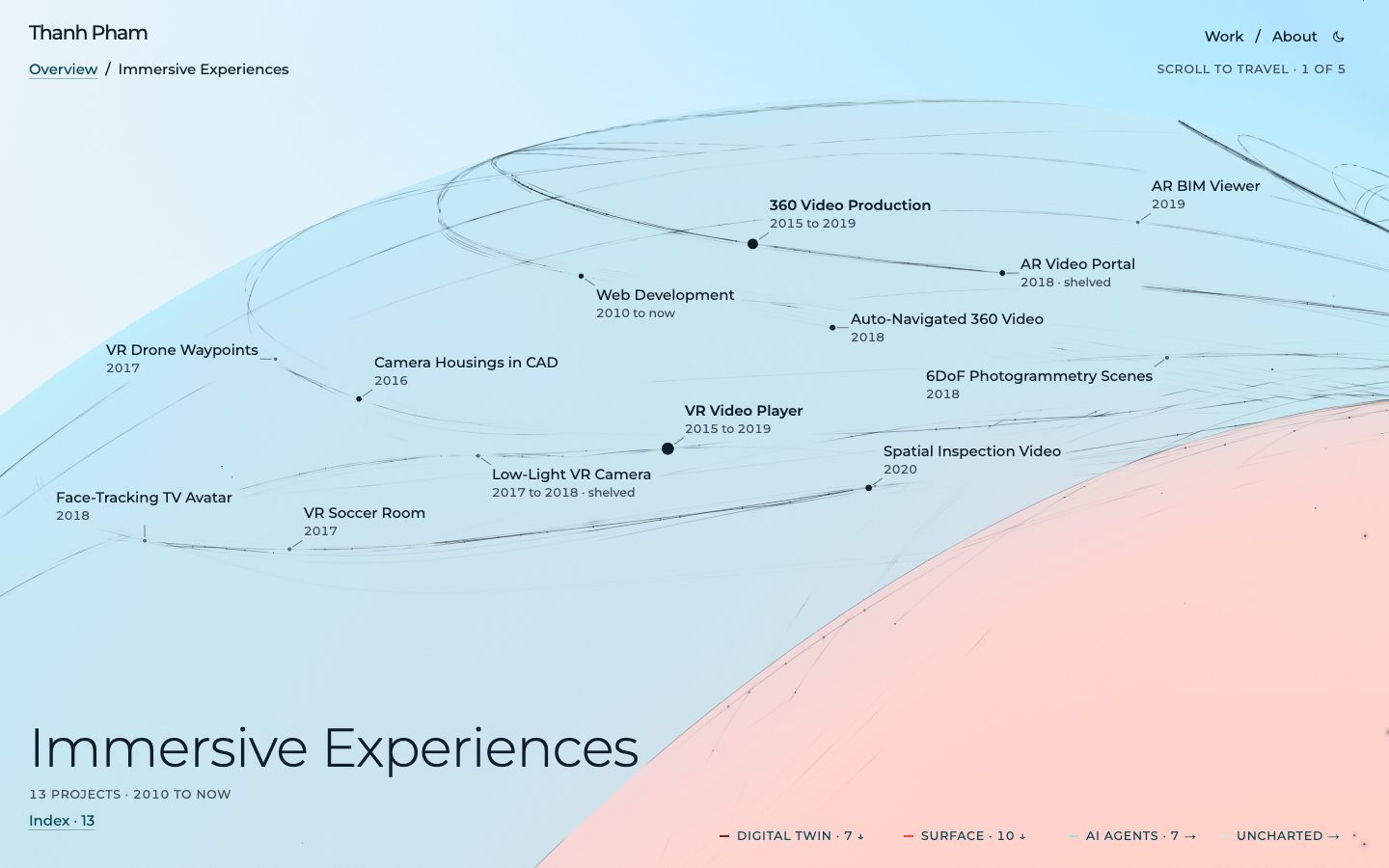
AR BIM Viewer
AR Developer. 2019. Extended Reality. Outcome: shipped.
Lesson: Cross-platform AR collaboration adds real value to traditional workflows
The lesson in full: A multi-device ecosystem (Magic Leap + iOS + Android + PC recording) enabled stakeholders to collaborate in real time regardless of hardware.
In collaboration with Nordic Architecture, I built an AR experience to display BIM models (50% simplified in Maya) on the Magic Leap One headset. The ecosystem included companion apps on Android (ARCore) and iOS (ARKit) for real-time collaboration, plus a PC app for mixed reality recording. The experience was designed to be short and intuitive for use at client meetings and show floors. Featured in Norwegian Technical Magazine.
Summary: AR BIM viewer for architecture meetings
Metrics: Featured in Norwegian Technical Magazine.
Technologies: Magic Leap One, ARCore, ARKit, Maya, BIM.
Built on lessons from: AR Video Portal.
Links: Article, Video 1, Video 2.
Face-Tracking TV Avatar
iOS Developer. 2018. Extended Reality. Outcome: shipped.
Lesson: Fine-tuning tracking data to match personality matters more than raw accuracy
The lesson in full: Generic face tracking needed significant adjustment to capture Skavlan’s specific expressions and comedic timing.
TV talk show host Fredrik Skavlan requested a more expressive custom Memoji for his show. While Qvisten Animation handled modeling and blendshapes, I was responsible for the rest of the app: shading options, UI/UX, video recording, file sharing, and fine-tuning the face tracking data to match Skavlan’s unique expressions and personality.
Summary: Custom face-tracking avatar for TV talk show
Metrics: Used on live TV show.
Technologies: Face Tracking, iPhone X, Shading.
Built on lessons from: VR Video Player.
Links: Video 1, Video 2.
6DoF Photogrammetry Scenes
Technical Artist. 2018. Extended Reality. Outcome: shipped.
Lesson: Full freedom of movement dramatically amplifies immersion
The lesson in full: RealityCapture scans of the Preikestolen cliff enabled a ‘balancing-on-a-chair’ VR experience with true 6DoF.
Inspired by Valve’s ‘Mountain Top’ demo in The Lab, I added photogrammetry with RealityCapture to my toolset. This enabled full 6DoF support to amplify immersion and helped clean up stereo videos with reconstructed scenes. A notable project was scanning Preikestolen, a famous Norwegian cliff, for a ‘balancing-on-a-chair’ VR experience. Data gathering leveraged Stargate Media’s camera and drone equipment.
Summary: 6DoF photogrammetry for immersive VR scenes
Technologies: RealityCapture, 6DoF, Drone, Camera Rigs.
Built on lessons from: 360 Video Production, VR Video Player.
Links: Video 1, Video 2.
Auto-Navigated 360 Video
ML Developer. 2018. AI & ML. Outcome: shipped.
Lesson: Combining emerging tech (AI + VR) creates unique demos
The lesson in full: The Deep Learning specialization on Coursera led to this practical application: camera auto-follows people in 360 video like Facebook Portal.
Driven by curiosity about AI and its potential, I completed Coursera’s Deep Learning specialization and combined that knowledge with 360 VR. The result: an auto-navigation system for 360 video using YOLO object detection on TensorFlow.js. Similar to how Facebook Portal’s camera automatically zooms and follows people, this demo does the same in 360 video.
Summary: YOLO-powered auto-navigation for 360 video
Technologies: TensorFlow.js, YOLO, Deep Learning.
Built on lessons from: VR Video Player, 360 Video Production.
Lessons carried into: Spatial Inspection Video.
Links: Live web app, Video.
AR Video Portal
AR Developer. 2018. Extended Reality. Outcome: shelved.
Lesson: Early ARCore/ARKit experiments built the foundation for later AR work
The lesson in full: Simple demo reusing shaders from old VR projects: step through a door into a 360 video location.
An early ARCore/ARKit experiment: step through an AR portal into a different location (recorded in 360 video). Built in Unity, reusing shaders and transport effects from previous VR projects. A fun Doraemon-inspired demo that explored the intersection of AR and 360 video.
Summary: Doraemon-inspired AR portal experiment
Technologies: ARCore, ARKit, Unity, Shaders.
Built on lessons from: VR Video Player, 360 Video Production.
Lessons carried into: AR BIM Viewer.
Links: Video.
Low-Light VR Camera
Hardware Prototyper. 2017 to 2018. Media & Camera, Extended Reality. Outcome: shelved.
Lesson: Hardware is hard
The lesson in full: There was a working prototype, but the project ran into various issues with driver compatibility and big names like GoPro and Insta360 releasing updated products that made our approach less viable.
An attempt to assemble a compact low-light VR camera using an off-the-shelf Sony sensor and an NVIDIA Jetson to live stream 360 video. The goal was to create a more capable alternative to existing consumer 360 cameras for professional live streaming in challenging lighting conditions.
Summary: Shut down after ~6 months: driver compatibility issues and market timing
Metrics: Working prototype completed. ~6 months of development before shutdown.
Technologies: Sony Sensor, NVIDIA Jetson, 360 Video, Live Streaming.
Built on lessons from: 360 Video Production, Camera Housings in CAD, VR Video Player.
VR Soccer Room
VR Developer. 2017. Extended Reality. Outcome: shipped.
Lesson: Wow factor + simplicity is the sweet spot for VR newcomers
The lesson in full: Combined traditional 360 video, floating 2D screens, and volumetric video from 4Dviews to create an accessible yet impressive demo.
This project explored the question: ‘How do you enjoy a soccer match from any angle in VR?’ In 2017, VR audiences were new to the medium, so the goal was to impress while keeping things simple. The experience had three elements: a ‘VIP Lounge’ with a 360-view window and a grabbable floating 2D screen, a menu to switch camera positions, and sample volumetric video from 4Dviews for free-angle viewing.
Summary: Multi-angle VR soccer viewing with volumetric video
Technologies: Unity, Volumetric Video, 4Dviews, 360 Video.
Built on lessons from: VR Video Player, 360 Video Production.
Links: Video 1, Video 2.
VR Drone Waypoints
VR Developer. 2017. Extended Reality, Web & Native Apps. Outcome: shipped.
Lesson: VR is more intuitive than flat screens for 3D path planning
The lesson in full: A DJI SDK deep-dive to solve indoor positioning without GPS, demoed at Connected Drone conference.
Created for the Connected Drone conference to demonstrate how drones and VR can intersect. In VR, users set waypoints for a Mavic Pro within a bounding box, a far more intuitive experience than a flat screen. The drone then flies the defined path in reality. The challenge: this was indoors without GPS, requiring deep use of the DJI SDK to solve an uncommon positioning problem.
Summary: VR waypoint interface for GPS-less indoor drone flight
Technologies: DJI SDK, Mavic Pro, Indoor Positioning.
Built on lessons from: VR Video Player, Camera Housings in CAD.
Links: Video 1, Video 2.
Camera Housings in CAD
Technical Artist. 2016. Media & Camera. Outcome: shipped.
Lesson: Functional CAD skills fill gaps when off-the-shelf doesn’t exist
The lesson in full: Fusion 360 modeling for camera housings, cases, and production equipment, output via 3D printing or aluminum CNC.
I learned functional 3D modeling in Autodesk Fusion 360 to address Stargate Media’s need for custom camera housings and parts. Designs were manufactured via 3D printing or CNC machining in aluminum.
Summary: Custom housings and parts via 3D printing and CNC
Technologies: Autodesk Fusion 360, 3D Printing, CNC.
Built on lessons from: 360 Video Production.
Lessons carried into: Low-Light VR Camera, VR Drone Waypoints.
360 Video Production
Technical Director. 2015 to 2019. Media & Camera. Outcome: shipped.
Lesson: Mastering the full pipeline (hardware → stitching → encoding) is a competitive moat
The lesson in full: Technical expertise across camera rigs, stitching software, and device-specific encoding became a core company differentiator.
Video production was core to Stargate Media’s business. To achieve cinematic quality in 360 video, I overcame numerous technical challenges. On the hardware side, this meant selecting, operating, and sometimes designing complex 360 camera rigs. On the software side, it required mastering video stitchers (Autopano, Mistika, Nuke & Cara) and various codecs to optimally encode video for different devices.
Summary: End-to-end cinematic VR production capability
Technologies: 360 Camera Rigs, Autopano Video, Mistika VR, Nuke, Cara VR, Codecs.
Built on lessons from: Web Development.
Lessons carried into: Spatial Inspection Video, 6DoF Photogrammetry Scenes, Auto-Navigated 360 Video, AR Video Portal, Low-Light VR Camera, VR Soccer Room, Camera Housings in CAD.
Links: Video.
VR Video Player
Software Developer. 2015 to 2019. Extended Reality. Outcome: shipped.
Lesson: Simple, intuitive UX wins over feature count in VR
The lesson in full: The platform evolved from WebGL/Three.js to Unity, adding 8K playback and non-linear storytelling while keeping UX minimal.
At Stargate Media, I owned the VR video player development. Starting in 2015 with WebGL/Three.js and native Android (NDK), the codebase evolved to Unity with advanced features: 8K video playback on PC and non-linear storytelling (checkpoints for branching storylines or training). The UX principle throughout was to keep everything simple and intuitive.
Summary: Custom VR player with 8K and branching narratives
Metrics: 8K video support. Non-linear storytelling.
Technologies: WebGL, Three.js, Android NDK, Unity.
Built on lessons from: Web Development.
Lessons carried into: Video Calls in XR, Spatial Inspection Video, Face-Tracking TV Avatar, 6DoF Photogrammetry Scenes, Auto-Navigated 360 Video, AR Video Portal, Low-Light VR Camera, VR Soccer Room, VR Drone Waypoints.
Web Development
Web Developer. 2010 to now. Web & Native Apps. Outcome: shipped.
Lesson: Web skills opened the door to the VR industry early
The lesson in full: Built embeddable 360 players for clients when YouTube/Vimeo/Facebook lacked VR support: a foundational skill that led to my hire at Stargate Media in 2014.
Web development was my first professional skill set, and it got me hired at Stargate Media in 2014 to build 360 video web players, back when YouTube, Vimeo, and Facebook lacked VR support. I built embeddable players for client sites. The stack evolved over time: ES6, React, and visualization libraries like A-Frame and PixiJS.
Summary: 360 video web players before mainstream support
Metrics: Hired at Stargate Media 2014.
Technologies: ES6, React, A-Frame, PixiJS, WebGL, Three.js.
Lessons carried into: Digital Twin Platform, 360 Video Production, VR Video Player.